






Save Time & MoneyThe Favorites feature is a great place to store items you purchase frequently. It's like going to your favorite restaurant and having the waiter know what you typically order. Using the Favorites can save you time and make your shopping experience more personal.
Create an account today or log in to start adding your favorites!
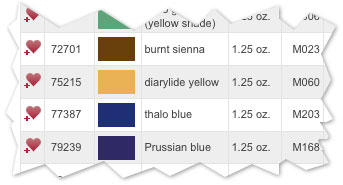
Adding a product to your Favorites is easy. Just find a product in our store that you might order frequently and select
the heart After you select a Favorites item, it will always appear on this Favorites page for quick and easy access whenever you visit the site. To add a Favorites item to your shopping cart, fill in the Quantity field then click the "Add to Cart" button. You
can easily delete any product from the Favorites list by clicking on the trash can


|
|||||||||||||||||||||||||||||||||||||||||||||||||||||
 icon to the far
left of the line item.
icon to the far
left of the line item. icon located to the left of the Item.